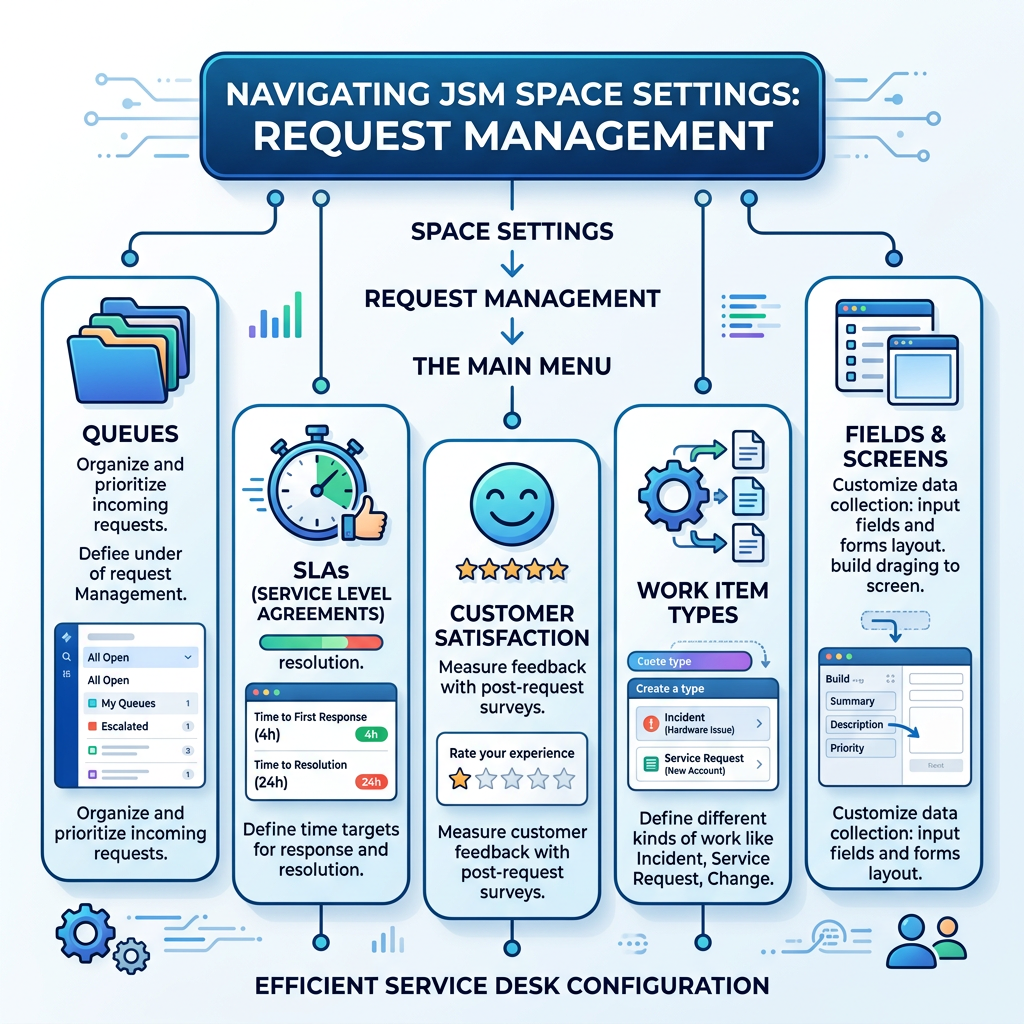
We’ve already covered the first part of Request Management > Request Types, Forms & Workflows so in this post, we’re moving on to the next set of settings: Queues, SLAs, Customer Satisfaction, Work Item Types, Fields, and Screens.
These are the behind-the-scenes pieces that help keep a Jira Service Management space organised, efficient, and easier for both agents and customers to use.

Why this area matters 📌
- Request management is where incoming customer requests are turned into something your team can actually manage.
- Instead of letting everything land in one messy pile, you can organize requests by type, track response targets, and control what agents see when they open a work item.
- That makes it easier to move fast without losing consistency.
Queues 🗂️

- Queues are your team’s working list.
- They group work items using filters such as status, type, assignee, priority, or SLA urgency, so agents can focus on the right work at the right time.
- In day-to-day support, I usually start with queues first because they help you spot overdue items, balance workload, and keep an eye on high-priority requests without digging through the whole project.
- A good queue setup feels like a clean inbox rather than a cluttered archive.
What you will see in Queues
- All Open.
- Assigned to Me.
- Open Tasks.
- Service Requests, which include:
- Open Service Requests.
- Unassigned Service Requests.
- My Service Requests.
- Incidents, which include:
- Open Incidents.
- My Incidents.
- Major Incidents.
- Resolved Incidents in the Last 7 Days.
What you can do with queues
- Reorder queues to match how your team works.
- Create new queues when the defaults are not enough.
- Use filters to build queues around request type, status, priority, or JQL if needed.
- Keep the most important queues at the top so the team can act faster.
SLAs ⏱️

- SLAs, or service-level agreements, define the time targets your team commits to for response or resolution.
- In JSM, queues are often sorted by SLA urgency, and the SLA clock helps you see how close a work item is to breaching its target.
- I usually think of SLAs as the heartbeat of the service desk.
- They do not just measure speed; they shape prioritization, escalation, and team behavior.
Customer Satisfaction 🙂

- Customer satisfaction gives you feedback on how customers felt about the support experience.
- It is a useful signal because it shows whether fast resolution actually translated into a good interaction, which is not always the same thing.
- In a real service desk, this feedback helps you spot patterns.
- For example, you might resolve tickets on time but still get poor ratings if the communication was unclear or the handoff was rough.
Work Item Types 🔧

- Work item types are the foundation behind request behavior in JSM.
- Atlassian explains that work types define the core structure of a work item, including its workflow and fields, while request types sit on top of that structure for portal experience and categorization.
- A work item type decides how the ticket behaves behind the scenes.
- The request type helps the customer choose the right option in the portal.
Fields 📝

- Fields are the data points you want to capture on a work item, such as summary, description, priority, asset details, or custom intake information.
- Atlassian notes that fields are managed from the work type level in JSM and can be added or removed depending on what your team needs.
- In practice, fields are where structure meets real work.
- Too few fields, and agents have to chase missing details. Too many fields, and the intake process becomes frustrating for customers and slower for the team.
Screens 🖥️

- Screens control which fields appear when agents view, create, or edit a work item.
- In JSM, screens are tied closely to work types, and changes here can affect every request type that shares the same work item screen.
- I treat screens as the final presentation layer.
- They decide what the agent sees at the moment of action, so they have a direct impact on speed and usability.
Practical setup tips ✅
- Start with queues first.
- Then confirm your SLA logic.
- After that, refine fields and screens.
- That sequence keeps the service desk usable while you improve the details.
- A simple rule of thumb is this: queues help agents work, SLAs help teams prioritize, customer satisfaction helps teams improve, work item types define structure, fields capture context, and screens control the agent experience.
Leave a Reply