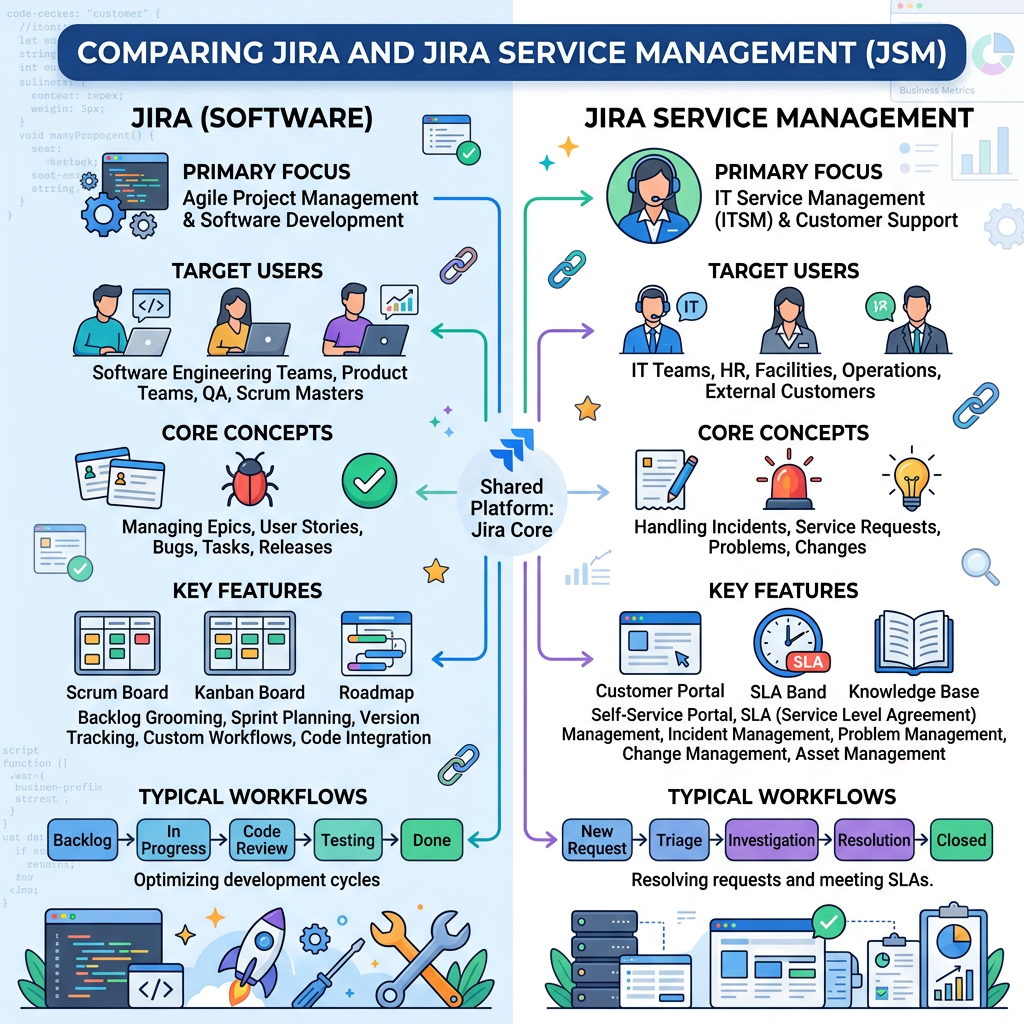
If you’ve only been working with Atlassian for a few years, you’re not alone in feeling a bit tangled by the terms “Jira” and “Jira Service Management.”
Here’s a short, clear way to think about the difference so you can quickly explain or choose between them.
The quick mental model 💭
- Jira (Software/Work) = internal project and task tracking for teams like dev, product, or marketing.📈
- Jira Service Management (JSM) = IT/HR/service‑desk‑style helpdesk where users submit requests via a portal.💼
Think of it as:
Jira = “work people do”
Jira Service Management = “requests people get”
Main differences in practice ≏
| Aspect | Jira (Software/Work) | Jira Service Management (JSM) |
| Main focus | Agile project/task management | ITSM/ESM (incidents, requests, changes, SLAs) |
| Key users | Devs, PMs, business teams | IT, HR, facilities, service‑desk agents |
| End‑user portal | No built‑in external portal | Yes – self‑service portal for employees/customers |
| Licensing | Per‑user for editors/viewers | Per‑agent; requesters use portal for free |
| Typical boards | Sprints, backlogs, Scrum/Kanban | Service queues, SLA‑based request views |
- When to use which:
- ✅ Use Jira (Software/Work) when:
- 🧩 The team is planning and delivering internal work (features, tasks, bugs, marketing projects).
- 🚫 You don’t need a customer/employee portal and everyone who touches Jira needs a license anyway.
- ✅ Use Jira (Software/Work) when:
- 🛠 Use Jira Service Management when:
- 💻 The team is an IT helpdesk, HR support desk, or any service function handling incoming requests.
- 📦 You want a portal, SLA tracking, approvals, and a knowledge base, with licensing tied to agents, not requesters.
Both sit on the same Jira platform, so you’re not “switching systems”—you’re just picking the right “mode” for your workflow.
Leave a Reply